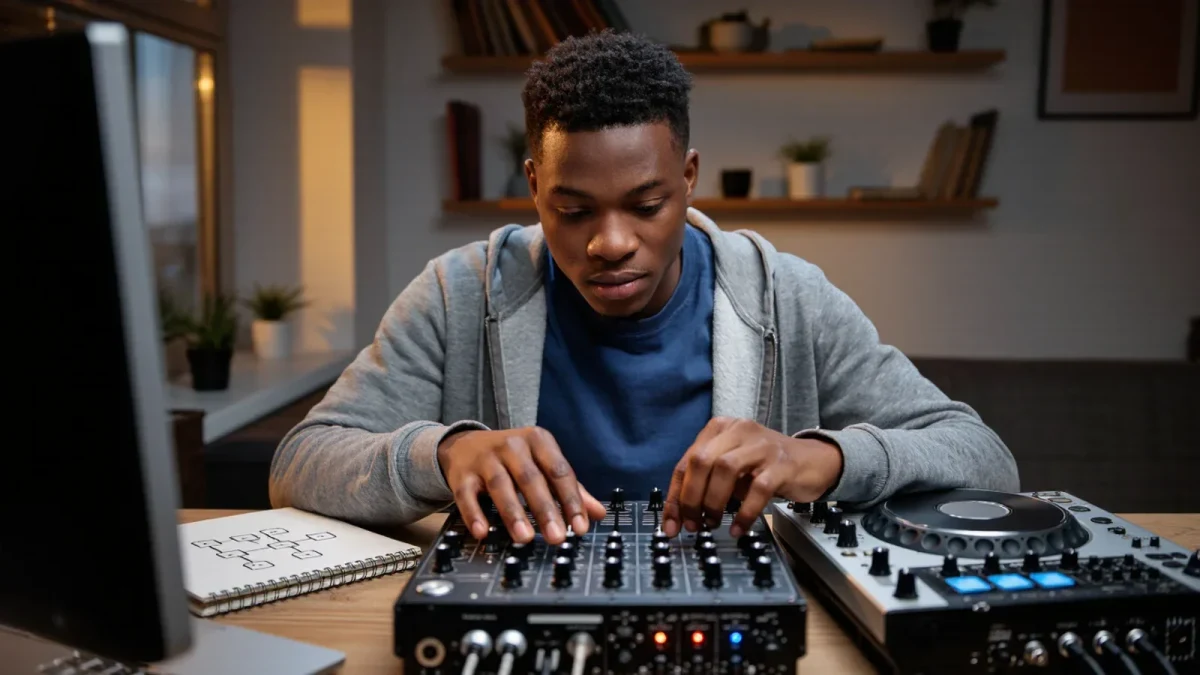
A DJ mixer is the control surface that sits between your music sources and the club's speakers, letting you blend two or more tracks, shape their frequencies and cue the next record in your headphones. Learn its six zones — channels, gain, EQ, faders, crossfader, cue section — and you can walk up to almost any booth, from a two-channel bedroom unit to an install at a 600-capacity room, and know exactly what your hands are doing.
Mega Dance publishes information, not equipment advice — always check a venue's or manufacturer's own documentation for a specific model.
What are the channel strips on a DJ mixer?
Each channel strip is one music source: deck one, deck two, a CDJ, a turntable or a line input from a drum machine. Reading a channel from top to bottom is reading the signal's journey. The input switch at the very top tells the channel what to listen for — phono for turntables, which need extra amplification, or line for everything else. Below it comes gain, then the EQ band, then the fader that decides how much of that channel reaches the room.
The order matters because it mirrors how engineers think about signal flow. You set the input level first, shape the tone second, and only then decide how loud it plays. Beginners who reverse this — pushing faders up and then cranking gain to compensate — get harsh, distorted sound, because the clipping happens at the top of the chain where no fader can rescue it.
Count the channels and you know what the mixer expects you to do. Two channels is the classic vinyl-and-vinyl or deck-and-deck setup. Four channels, now standard on club install units like the Pioneer DJ DJM-900NXS2 and DJM-A9, let you keep two tracks running while a third input — a sampler, a drum machine, a spare deck for an acapella — waits in reserve.
What does the gain knob actually do?
Gain, sometimes labelled trim, sets how strongly the channel amplifies the incoming signal before anything else happens to it. The goal is matching loudness between channels so a blend doesn't audibly jump when you move the crossfader. The technique is simple: play the loudest section of your track, watch the channel's level meter, and turn gain until the signal peaks in the upper yellow — never into red, which means clipping and a distorted low end that a big system will reproduce without mercy.
Tracks are mastered at different levels. A 2010s tech house record and a contemporary peak-time techno pressing can differ by several decibels of perceived loudness, so gain matching is not a set-and-forget job. Pros re-check it on every single track, riding the trim the way a radio engineer rides a fader.
The master output meter, usually top right, shows the summed mix leaving the mixer. Keep that out of the red too. A mixer that reads hot pushes the club's system engineer to turn you down at the amplifier, and you lose control of your own dynamics.
How do the EQ knobs and filter work?
Each channel carries a three-band EQ — high, mid, low — and on most club mixers each band can be turned fully to a cut, removing that frequency range completely. Full kill is the mixer's most musical trick. Pull the low cut on the incoming track while beatmatching, and its kick drum disappears, letting you mix it under the outgoing record's bassline without the two low ends fighting. Swap the cuts at the phrase break and the transition lands clean.
Mid holds most vocal and lead energy; shaving it back tames an acapella or softens a stabby synth. High controls cymbals, hats and air — a gentle boost can lift a dull track, a cut can hide a harsh one.
Separate from the EQ sits the filter knob, often a single control that sweeps high-pass in one direction and low-pass in the other. Filters are transition tools, not residence: sweep one in during the last sixteen bars, sweep it out as the new track's melody enters. Held open for minutes, a filter stops being mixing and becomes a fog machine with an attitude problem.
Fader or crossfader — which one do you use?
The channel faders are vertical sliders that set each track's volume in the mix; the crossfader is the horizontal slider that shuttles the full output between channels. For long blends — the default in house, techno and disco — you'll live on the channel faders, both partway up, easing one in and one out across a phrase or two. The crossfader earns its space in scratch and hip-hop work, where fast, hard cuts need a curve that snaps from silence to full volume within a millimetre of travel.
That behaviour is set by the crossfader curve control. A smooth curve suits blending; a sharp cut-in curve suits scratching. Many mixers also let you assign which channel sits on which side, or disable the crossfader entirely so an accidental nudge can't kill the room's music.
Booth monitors aside, one habit separates beginners from working DJs: fingers that know fader positions without looking. Practice transitions with your eyes on the room, not the mixer. The crowd is the meter that matters.
How does the cue section let you preview tracks?
The cue section is your private listening room. Press a channel's cue button and that channel feeds your headphones while the master keeps playing to the dancefloor. The cue/master blend knob — Pioneer and most club brands put it bottom left — sets the ratio: full cue when you're beatmatching in isolation, shifting toward master as you check how the blend sits against the room.
Split cue, an option on many mixers, sends cue to one ear and master to the other, which some DJs find faster for locking tempo. Try both; ear preference is personal, and neither is more professional.
Two habits complete the picture. Cue at a sane headphone level — your ears are your career, and hearing damage from cranked cueing is cumulative and permanent. And cue the drop before you commit: confirm the incoming track's phrase, key and energy in the cans, then bring it to the floor.
What extra features matter on a club mixer?
Modern install mixers carry features you should recognise even if you use them rarely. Built-in effects — echo, reverb, filter, noise — live on their own section with beat-synced parameter knobs; echo thrown onto an outgoing vocal as you pull the fader is the classic one-bar exit. Beat FX assign to a channel and quantise to the track's BPM read from the timecode or CDJ's tempo data.
USB audio interfaces let laptop software route through the mixer as if it were decks. MIDI controls map knobs to software parameters. Booth output gives the monitors their own volume, independent of master — the knob you'll reach for when the booth is too quiet or, after four hours, far too loud.
None of it replaces fundamentals. A DJ who gain-stages cleanly, EQs with intent and blends on phrase will outplay a DJ who leans on effects every night of the week. Learn the signal path, respect the meters, keep it out of the red — the mixer will make sense from there.