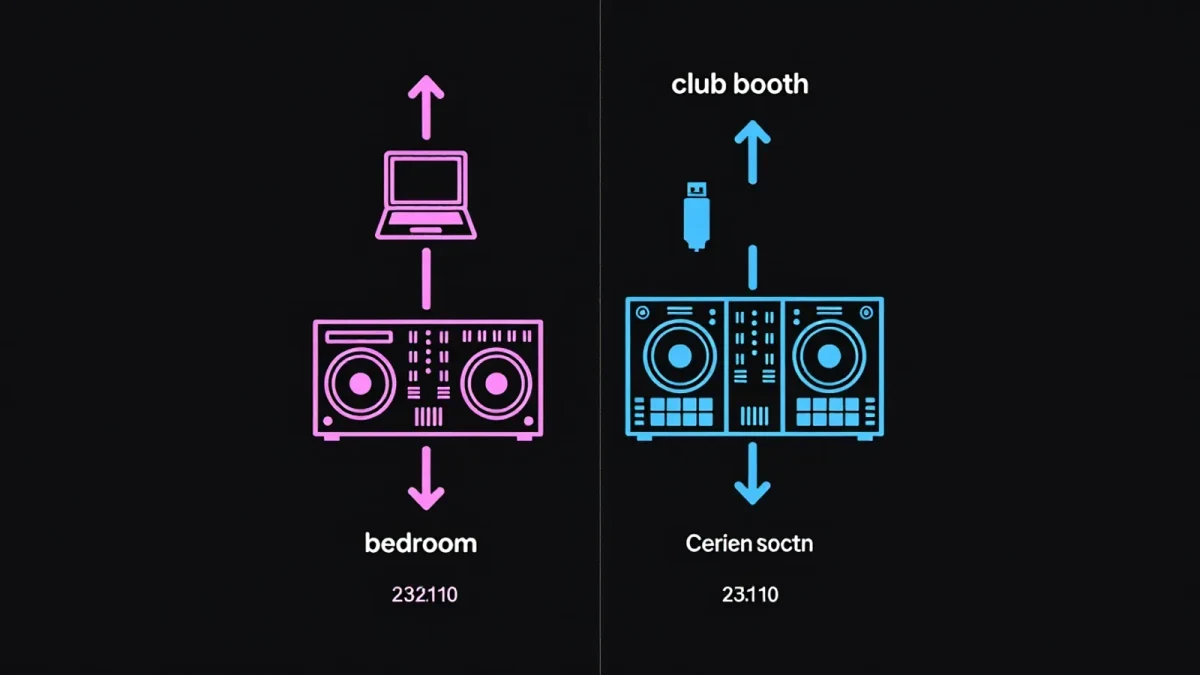
A DJ controller is an all-in-one unit that pairs jog wheels, pads and a built-in mixer with your laptop, while CDJs are standalone club-standard media players that read USB sticks and need no computer. The honest answer for most beginners: start on a controller, learn the fundamentals it shares with every booth, then move to CDJs when gigs demand it. Here is the full comparison — cost, workflow, prep and durability — so the choice fits your situation rather than a forum argument.
Mega Dance publishes information, not purchasing advice — street prices change, so treat every figure below as a bracket to verify at retail as of early 2026.
What exactly is a DJ controller?
A controller is a MIDI surface: its wheels, knobs and pads send instructions to DJ software on your laptop, and the software does the actual audio work. Everything lives in one box — platters for nudging tracks, a mixer section for channels, EQ and faders, performance pads for hot cues, loops and samples. Entry models from Pioneer DJ's DDJ line, Numark, Hercules and Roland sit in the roughly 100-to-300-dollar bracket at entry level, with pro units from roughly 600 dollars upward, and many ship with a licence for rekordbox, Serato or Traktor that would otherwise cost a subscription or one-off fee.
The payoff is integration. Waveforms render big on your laptop screen, libraries are searchable by keyboard, and preparation — setting cue points, beatgrids, playlists — happens at desk speed. The cost is dependency: no laptop, no set, and a controller is only as stable as the computer driving it.
Controllers also define how you learn. Because the software beatgrids tracks and syncs tempo at a button press, beginners can sound competent fast — which is a feature and a trap in equal measure, and we come back to it below.
What exactly is a CDJ setup?
CDJs are standalone digital decks, typified by the Pioneer DJ CDJ-3000, that play prepared files straight from a USB stick. No laptop opens on stage. Each deck reads the analysis you did at home — in rekordbox, the free prep application — including cue points, beatgrids and track order, and a club-standard mixer such as the DJM-A9 or DJM-900NXS2 sits between the decks.
The reason CDJs dominate booths is standardisation. Walk into the vast majority of professional clubs worldwide and the same layout waits: two or more CDJs, one DJM mixer, identical control placement. Headline DJs fly city to city carrying only headphones and a USB stick because the booth is guaranteed territory. Festival tech specs routinely require the standard Pioneer ecosystem by name.
The cost is real. A single CDJ-3000 retails in the four-figure range per unit, with the mixer on top — a full standalone booth is an investment measured in thousands, which is why almost nobody buys one for a bedroom and why clubs, not individuals, carry the standard.
How do the two compare side by side?
| Factor | Controller | CDJ setup |
|---|---|---|
| Entry cost | Roughly $100–$300 entry, $600+ pro | Four figures per deck, plus mixer |
| Needs a laptop | Always | Never — USB stick only |
| Software | Included licence, feature-rich | Free prep app (rekordbox), simpler feature set |
| Club standard | No | Yes — most pro booths worldwide |
| Screen | Laptop waveform, large and detailed | Deck screen, smaller but centralised |
| Portability | One box plus laptop | Headphones and USB stick |
| Failure points | Laptop OS, drivers, updates | USB stick corruption (carry spares) |
One row decides most arguments: club standard. If your goal is playing venues, CDJ literacy is not optional — it is the language booths speak.
Which skills transfer between them?
Nearly everything, which is the point. Beatmatching by ear, phrase structure, EQ blending, gain staging, reading a room — these live in your head, not the hardware. A controller teaches them fine if you discipline yourself: learn to nudge the platter and ride the pitch fader rather than letting sync do the whole job, because a CDJ gives you the same physical controls with less software assistance.
The transferable units are concrete. A controller's pitch fader, jog wheel, cue button and loop controls map one-to-one onto CDJ equivalents. Hot cue pads behave the same. The mixer section of a good controller mirrors a DJM: gain, three-band EQ with full kill, channel faders, crossfader, cue blend. Spend your first year learning what those controls do musically and the hardware question shrinks to logistics.
What does not transfer is dependence. DJs who have only ever synced on a laptop can freeze at a booth where the prep was sloppy or the grid is wrong on a bootleg edit. Ear skills are the insurance policy.
Should you learn on one and gig on the other?
Most working DJs do exactly that. The common path as of 2026: buy a mid-range controller, prepare music in the same rekordbox application that feeds CDJs, and rehearse the booth workflow — USB export, track order, playlist folders — at home. When a club gig lands, the USB stick you already carry plays on the house CDJs, and the only new muscle memory is the larger jog wheel and the screen's track browser.
Borrow booth time where you can. Warm-up slots, open decks nights and studio rentals exist for precisely this transition, and one hour on real CDJs teaches more than a month of tutorials.
And keep the honest list of exceptions. Turntablists and scratch DJs still lean on DVS or dedicated hardware; mobile DJs prize controllers for all-in-one logistics; some artists build whole live sets around a controller's pads. The controller-versus-CDJ question is really a question about where you play — answer that, and the gear follows.
How long will either setup stay useful?
CDJs age slowly because clubs replace them on long cycles — the CDJ-2000NXS2, launched in 2016, still runs booths years later, and the standard layout has barely moved in a decade. Buy used pro decks and they hold resale value unusually well for music gear. Controllers age faster: software subscriptions shift, laptop ports change, and entry units are built to a price point that shows after years of transport.
The pragmatic budget as of early 2026: roughly 250 to 700 dollars on a mid-tier controller buys years of learning; saving toward CDJs matters only when headline gigs make the booth your office. Spend on headphones, monitored speakers and music first — gear has never been the bottleneck between a bedroom DJ and a good set.